Create a JARIA Agent
Agent Creation
Before creating the Unity-side agent, create the JARIA agent in the Portal and open its agent details. The agent details page contains the Agent ID used by Creator, along with the agent’s name, prompt, selected libraries, and behavior settings.
Use the Download Agent button from the Portal agent details when you want to download the agent configuration for use in Creator. The downloaded agent data helps you transfer the Portal-created agent into the Unity project without manually copying every value. You can still copy the Agent ID directly from the details page and paste it into the Unity agent configuration.
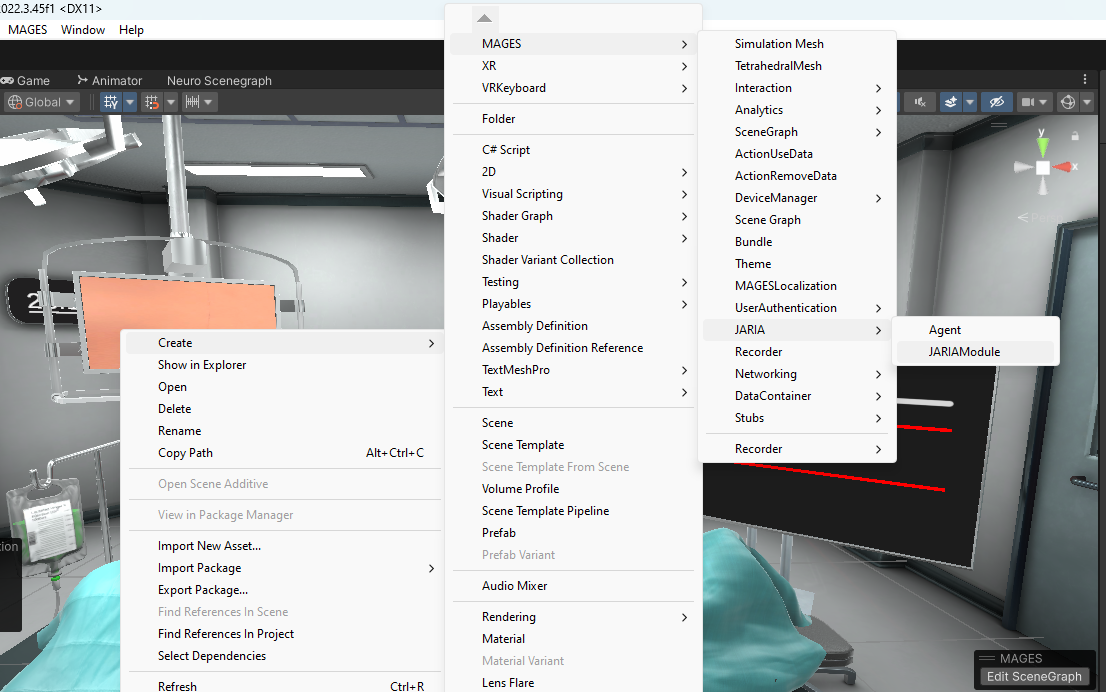
Open your Unity project and right click, from inside the modules folder,
ORamaVR Creator > Embodied AI > Agent.
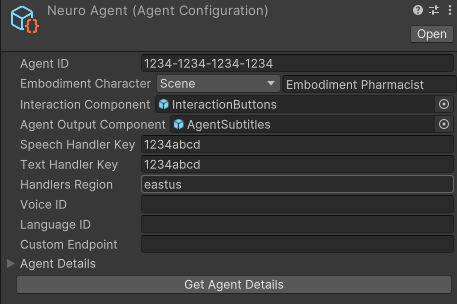
The agent includes some settings for the JARIA agents which must be defined by you:
Agent Configuration
Agent ID: The agent ID obtained after the creation of the agent in the portal.
Embodiment Character: Choose between a character in the scene or a prefab from the assets as the character of the agent.
Interaction Component: The prefab that holds the start interaction and end interaction buttons.
Agent Output Component: The prefab used to visualize the agent output as subtitles.
Speech overrides
By default, a JARIA agent can use the speech settings provided by the project or downloaded agent configuration. You can override these defaults when you want the agent to use your own Azure Speech resource for speech-to-text and text-to-speech. Create an Azure Speech resource, then copy its key, region, voice, language, and optional custom endpoint into the fields below.
For Azure setup details, see the official Azure Speech quickstart.
The following fields can be overridden:
Text Handler key: The key for the speech services handler.
Handlers Region: The region where the speech services are hosted.
Voice ID: The Azure Speech voice used by the JARIA agent for text-to-speech.
Language ID: The speech recognition and synthesis language used by the JARIA agent.
Custom Endpoint: Can be used for custom speech-to-text models. This is useful when your application requires specialized terminology that is not common in everyday spoken language.
Tip
An example of the interaction and the agent output components can be found in the neuro sample, inside Samples > ORamaVR Creator - Core > 'version' > Neuromonitoring Scene > Resources > Generic > Agent.
Agent Configuration inside module
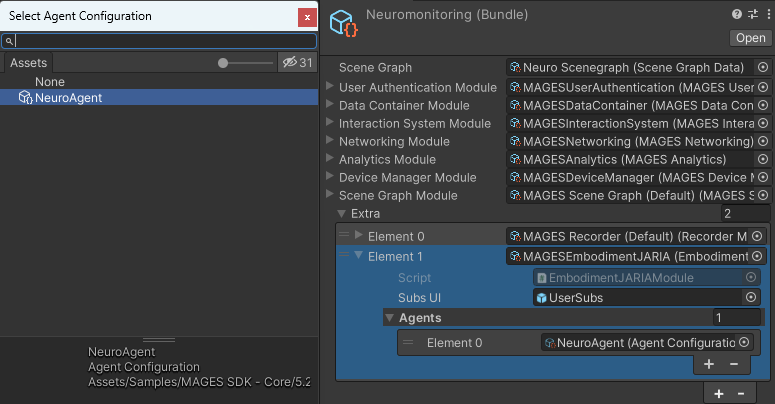
Add the agent you created in the agents list of the module.