Run the Sample JARIA Agent
The Neuromonitoring Scene sample includes a configured JARIA module, a pharmacist agent, interaction buttons, and subtitle prefabs.
Prerequisites
Important
In order to interact with the sample agent, the Speech SDK needs to be installed first.
You can install the Speech SDK through the Creator Panel, located inside the configuration section.
Note
The sample agent can be used without the animation rigging package installed, but talking animations and gaze behavior require it.
You can install the animation rigging package through the Creator Panel, located inside the configuration section.
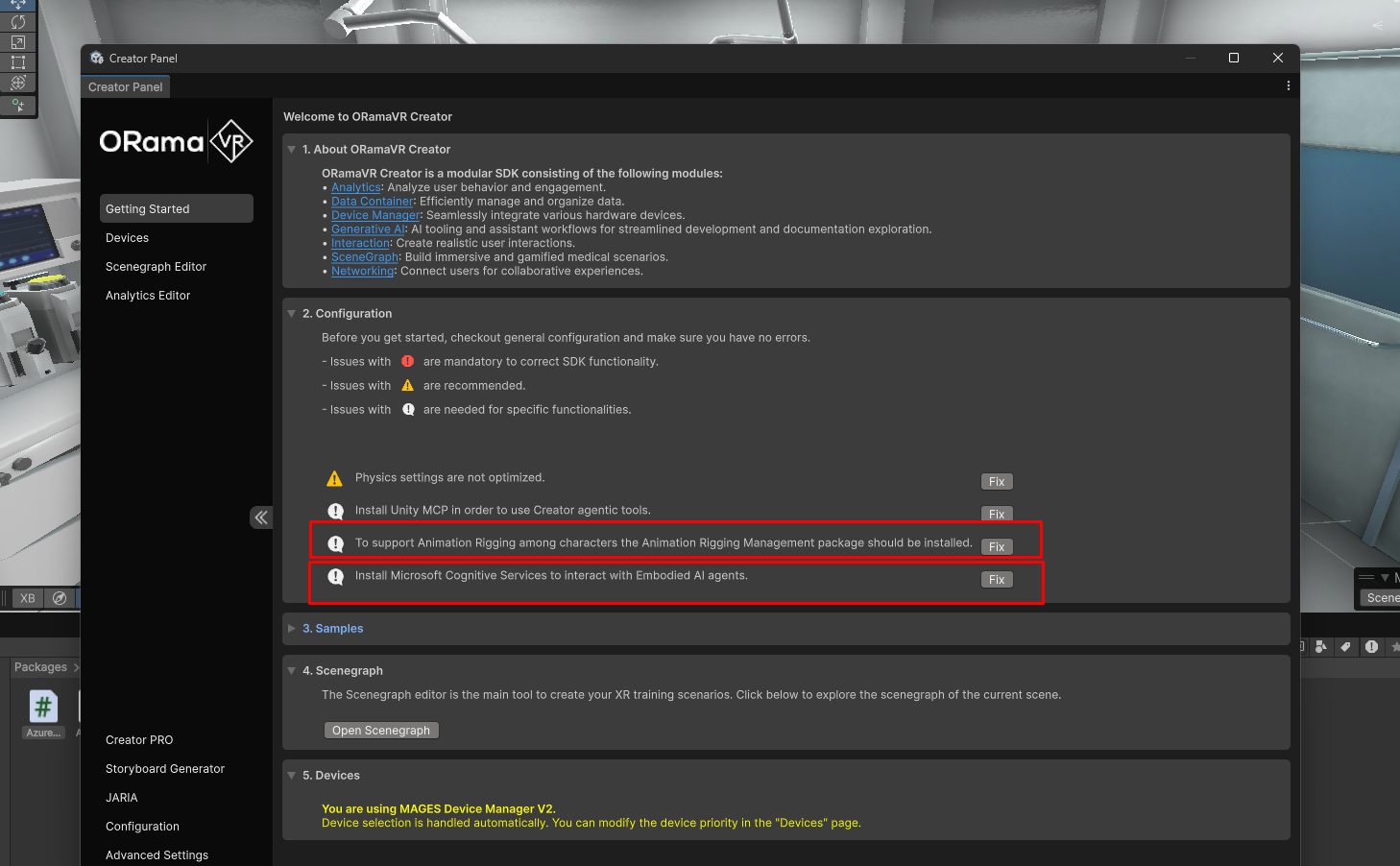
Install the required packages from the Creator Panel configuration section.
Import the sample
Note
If you have already imported the Neuromonitoring Scene sample, skip this section and continue with Run the sample.
Open the Creator Panel from
ORamaVR Creator > Panel.Navigate to
Getting Started > Samples.Import the Neuromonitoring Scene sample from ORamaVR Creator - Core.
Run the sample
Press Play in the Unity Editor.
Start the Neuromonitoring operation and press Start on the operation start UI.
The sample initializes the JARIA agent during this action. When the agent is initialized, an interaction button appears above the pharmacist.
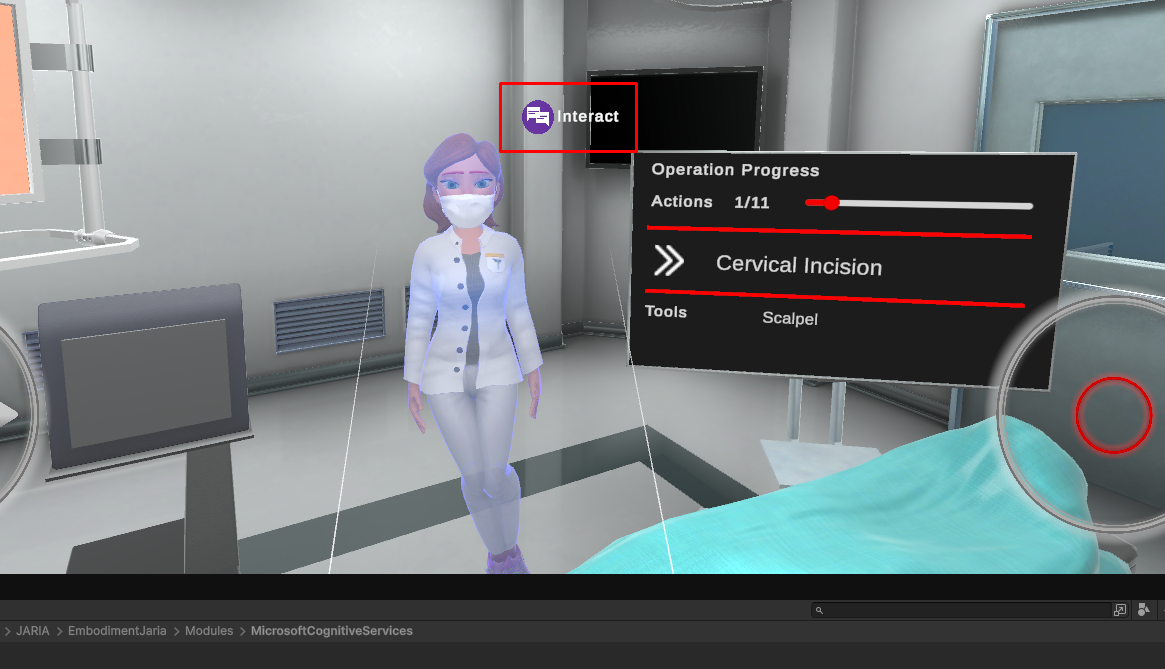
Agent initialized after operationstart and is awaiting for user interaction.
Click the interaction button and speak into the microphone.
The recognized user input is shown in the user subtitles component. The agent response is then displayed as subtitles and played as audio.
After the response finishes, continue speaking for another interaction, or click Cancel to stop interacting with the agent.

Example of an interaction cycle with the JARIA agent.
How the sample is wired
The sample uses the MAGESEmbodimentJARIA module inside Neuromonitoring Scene > Modules.
The module is already configured with:
Subs UI: The user subtitles prefab.
Agents: The pharmacist agent configuration.
The Skin Incision action includes the InitializeAgent step. This step calls:
Hub.Instance.Get<EmbodimentJARIAModule>().InitializeAgent(0);
The index is 0 because the sample agent is the first item in the module’s agents list.
Tip
The sample prefabs used by the agent are located in Assets > Samples > ORamaVR Creator - Core > version > Neuromonitoring Scene > Resources > Generic > Agent.