Softbody Actor
Softbodies are used to simulate deformable objects, like skin or fat. In order to create a softbody from a tetrahedral mesh you need:
Create a Simulation Mesh from the tetrahedral mesh.
While creating the simulation mesh from the source tetrahedral mesh with the tool described here, you must set the Distance Constraints Generate and Volume Constraints Generate properties to OnePerEdge and OnePerTetrahedron, and the Shape Matching Constraints Generate property to DontGenerate. This will create a simulation mesh with only Distance and Volume constraints, which is suitable for simulating a soft, deformable object.
Create a SoftbodyActor and assign the Simulation Mesh.
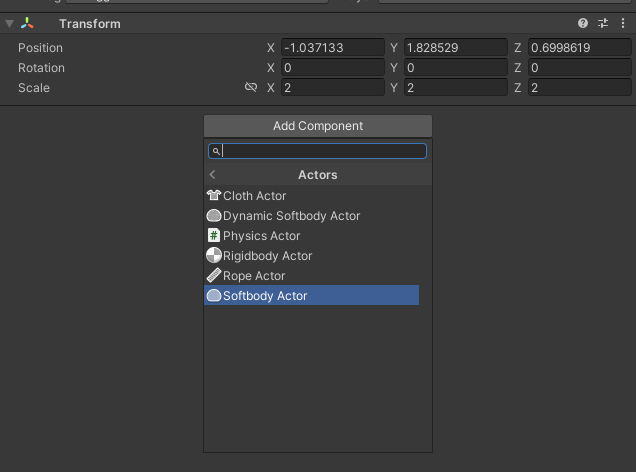
Create an empty GameObject and add a SoftbodyActor component to it by clicking Add Component > MAGES > Mesh Deformations > Actors > Softbody Actor in the inspector
Assign the Simulation Mesh and a Physics World to the SoftbodyActor component
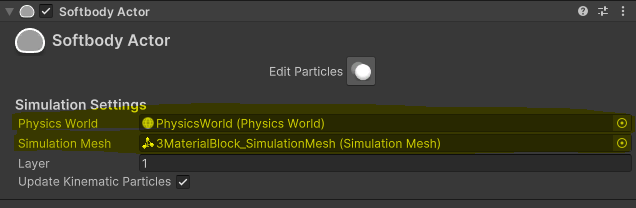
Press Edit Particles in the inspector to edit particles in the Scene view.
Instructions
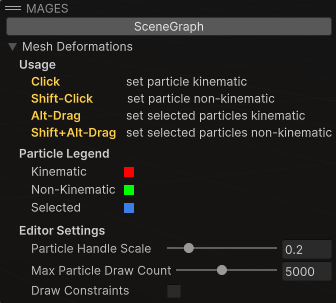
Left click: make particles kinematic.
Shift + left click: make particles non-kinematic.
Alt + drag: marquee-select particles and make them kinematic.
Shift + Alt + drag: marquee-select particles and make them non-kinematic.
Particle Ledger
Red: kinematic.
Green: non-kinematic.
Blue: selected.
Configuration Settings
Particle scale: How big particles are, helping with the visualization.
Particle count: How many particles show. Restricting the number of particles shown can help with performance when editing large meshes.
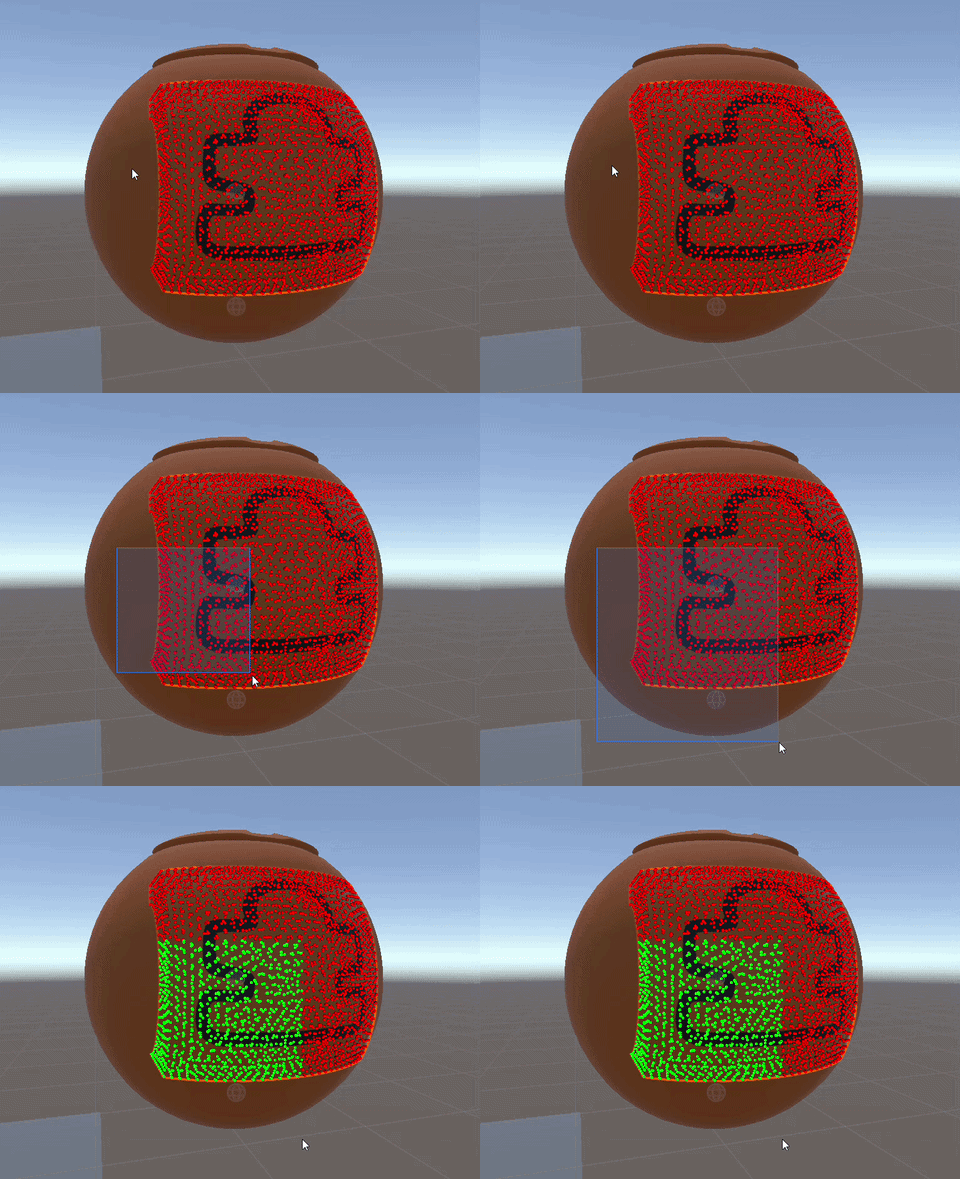
Marquee Selection can help you select multiple particles at once. You can hold the Alt key and drag to marquee-select particles and make them kinematic, or hold Shift + Alt and drag to marquee-select particles and make them non-kinematic.
Render the softbody.
To render the softbody, you must assign a mesh to the MeshFilter, add a MeshRenderer component to the GameObject and assign a Material to the MeshRenderer.
Warning
The mesh assigned to the MeshFilter should match the outer surface of the tetrahedral mesh used for generating the simulation mesh of this object in order for the object to render correctly.