Rope/Rod Actor
Ropes and Rods are a type of actor that can be used to simulate flexible and rigid bodies. They are used to create ropes, chains, and other flexible objects, as well as rigid bodies like rods and beams. In order to create a Rope/Rod you need to:
Create RopeActor.
Create an empty GameObject and add a RopeActor component to it by clicking Add Component > MAGES > Mesh Deformations > Actors > Rope Actor in the inspector
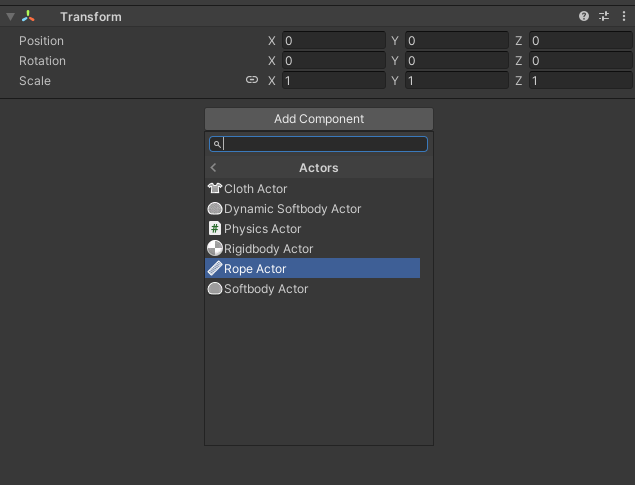
Assign a Physics World to the RopeActor.
In the Mesh Field of the RopeActor component, assign the mesh that will be used to create the cloth. Also, assign a Physics World to the ClothActor component
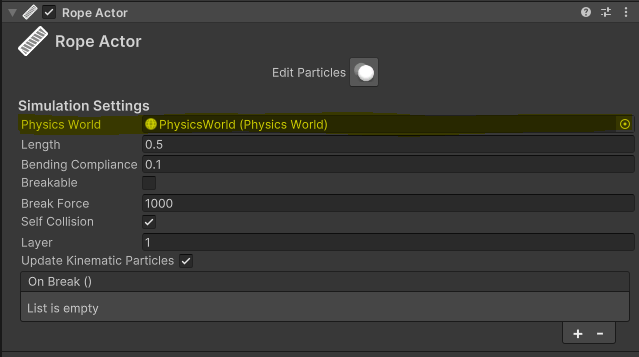
To make the actor behave like a rope you can decrease Bending Compliance, while to make it behave like a stiff rod you can increase it.
Press Edit Particles in the inspector to edit particles in the Scene view.
Instructions
Left click: make particles kinematic.
Shift + left click: make particles non-kinematic.
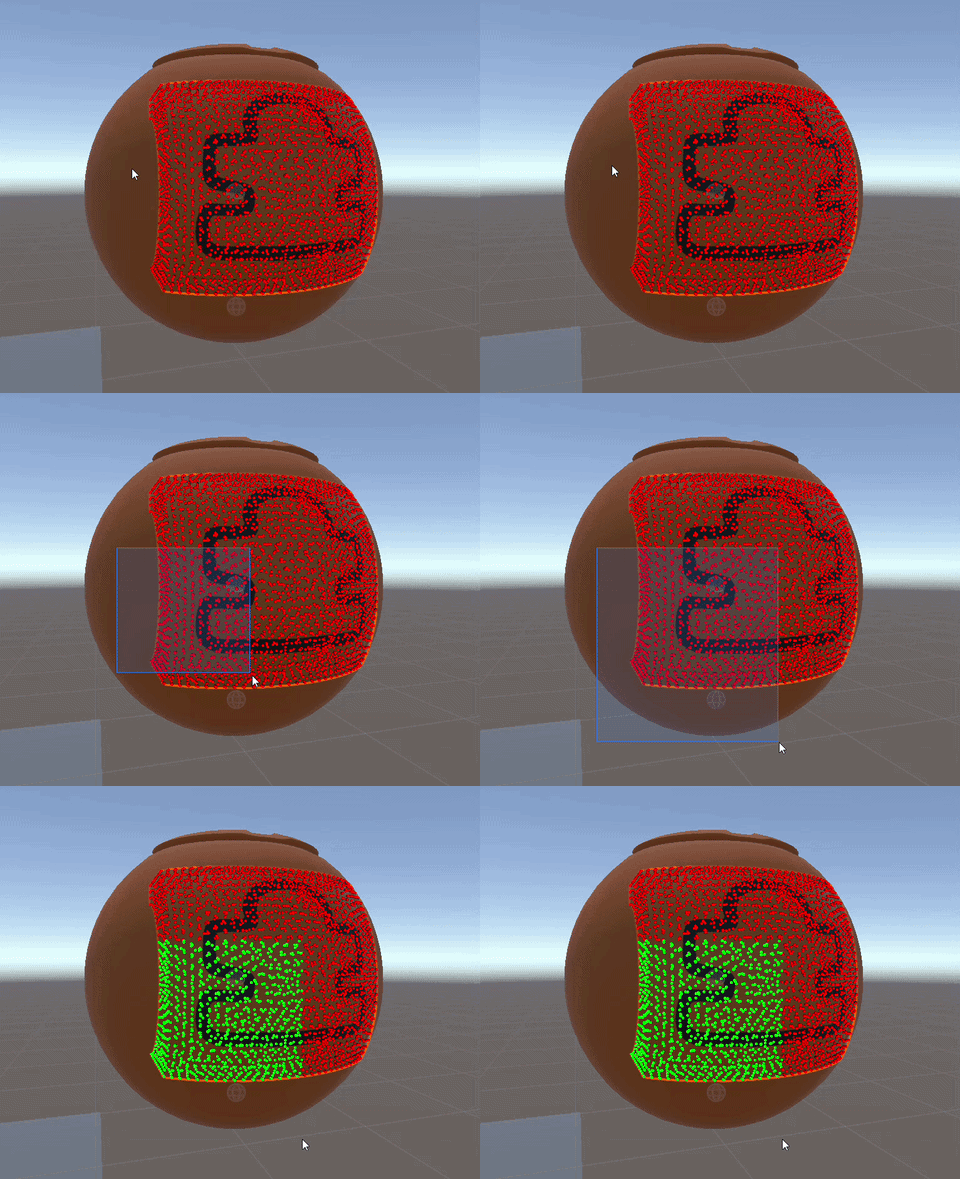
Alt + drag: marquee-select particles and make them kinematic.
Shift + Alt + drag: marquee-select particles and make them non-kinematic.
Particle Ledger
Red: kinematic.
Green: non-kinematic.
Blue: selected.
Configuration Settings
Particle scale: How big particles are, helping with the visualization.
Particle count: How many particles show. Restricting the number of particles shown can help with performance when editing large meshes.
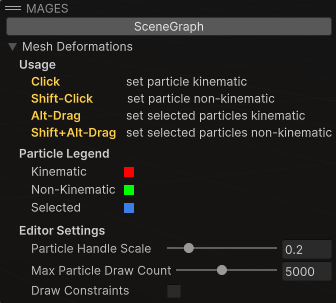
Marquee Selection can help you select multiple particles at once. You can hold the Alt key and drag to marquee-select particles and make them kinematic, or hold Shift + Alt and drag to marquee-select particles and make them non-kinematic.
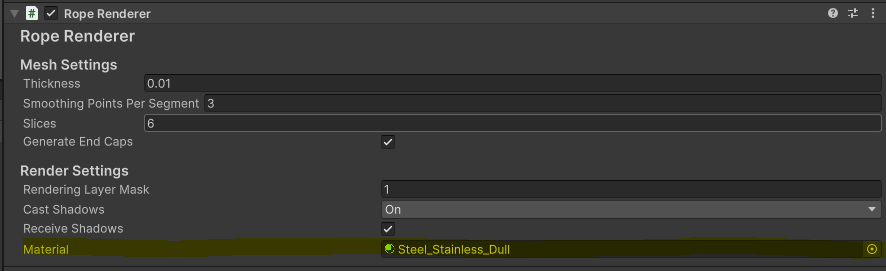
Render the Rope/Rod.
To render the rope/rod, simply add a RopeRenderer component to the GameObject and assign a Material to it: