Early Access Guide
ORamaVR Creator Early Access gives selected teams access to features before they become part of the standard release. These features may still change, but they are ready for guided evaluation in real projects.
Early Access includes:
The Agentic AI suite of features, codenamed OMEN.
Other features that are still in development and not yet ready for release.
Warning
This package is compatible with the latest patch releases of the supported Unity 6 minor versions: 6000.0.latest, 6000.1.latest, 6000.3.latest, and 6000.4.latest
How to Gain Access
Pro license required
Early access is available only for accounts with an active Pro license.
Early Access must be enabled for your ORamaVR account. Contact ORamaVR support or your ORamaVR representative to request access.
How to Install
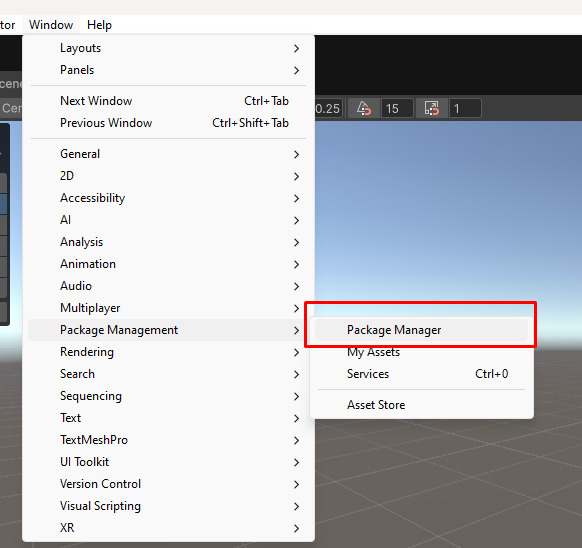
Open the Unity Package Manager through Window > Package Management > Package Manager:
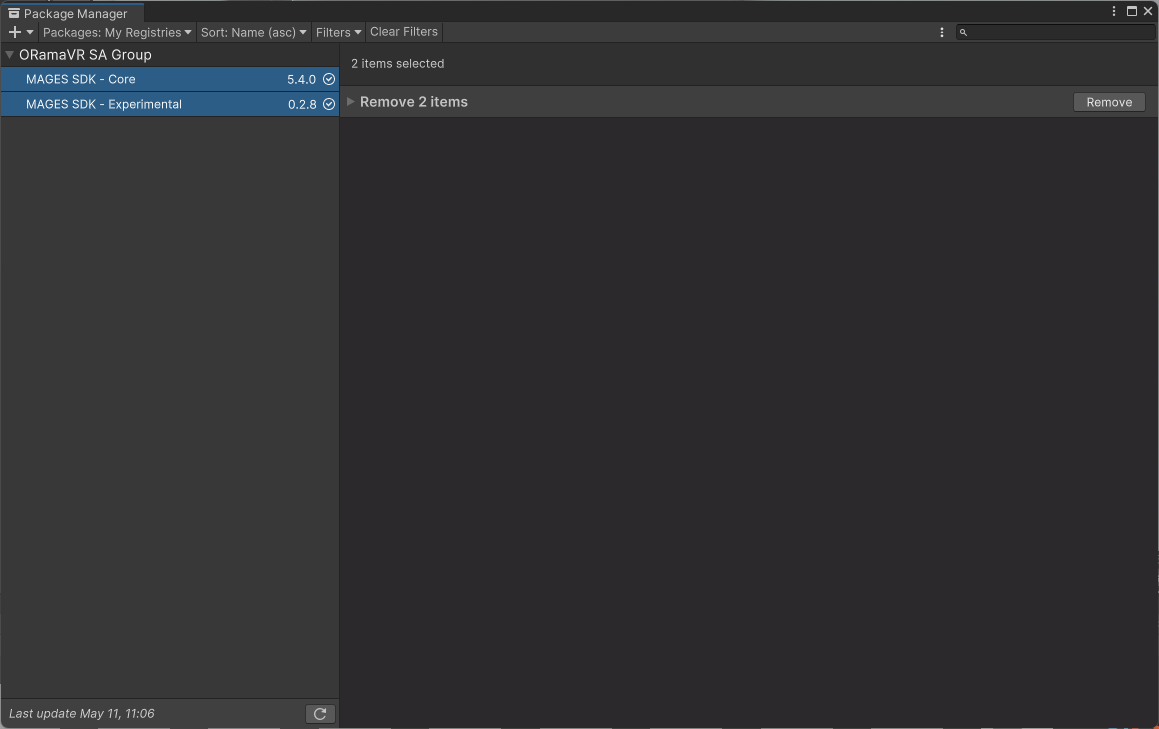
Creator Early Access comes in the form of Unity tarballs that include both Creator and Early Access features. In Unity Package Manager, if you have previously installed Creator, uninstall it:
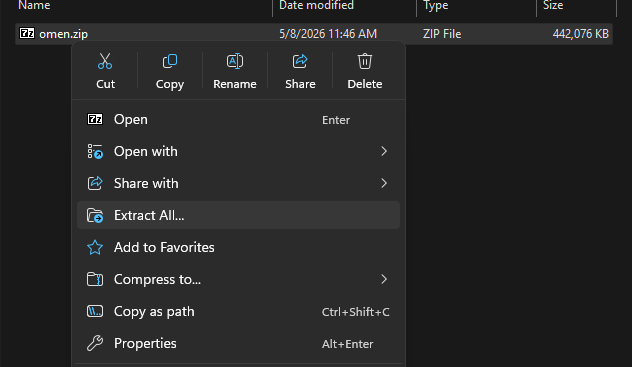
The software is provided a single zip file containing multiple tarballs (Files with .tgz extension), which must be extracted first and then imported into Unity.
First Extract the zip file:
The newly created folder, should look like this:

In this case, we have new versions of the ‘core’ and ‘experimental’ packages.
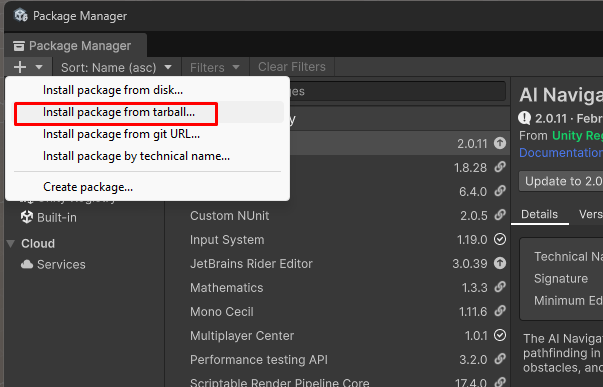
For each file that was extracted, click on the ‘+’ button and choose “Install package from tarball”:
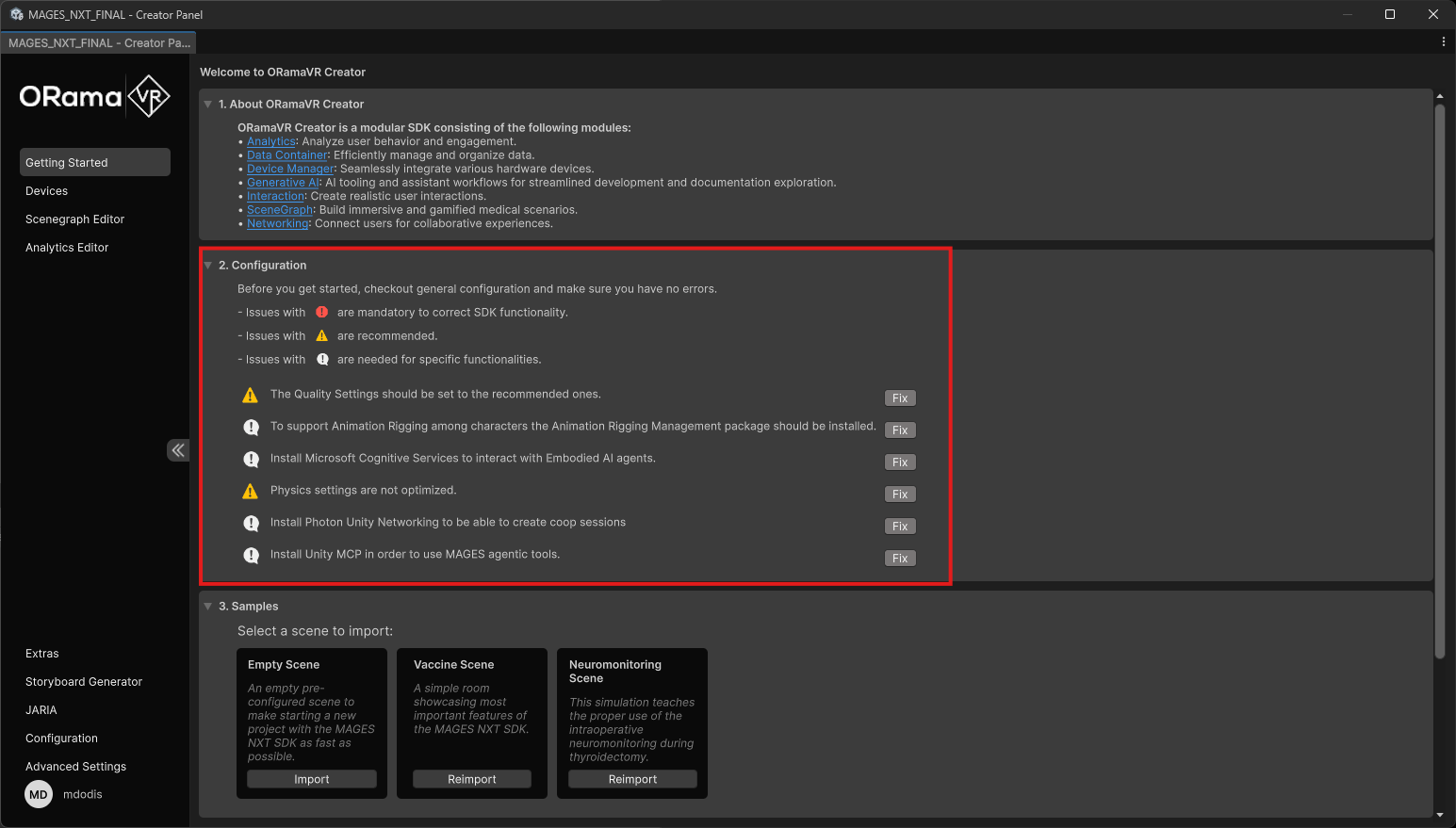
After the new tarball is available in your Unity project, open the Creator Panel and fix any required setup tasks before using the Early Access features: