Using Spawn Points
Overview
This tutorial explains how to set up and use spawn points in multiplayer scenarios, including co-op. Spawn points determine where players appear when joining or respawning. The system supports both a default spawn point and secondary spawn points for cooperative play.
What is a Spawn Point?
A spawn point is a location in your scene where a player can appear. The SpawnPoint component (see below) is used to mark these locations. One spawn point can be set as the default, while others act as secondary spawn points for additional players in co-op modes.
// Attach this component to your spawn point GameObjects
public class SpawnPoint : MonoBehaviour
{
     [SerializeField]
     private bool isDefault = false;
     // ...existing code...
}
How Spawn Points Work
Default Spawn Point: Used for the first player or when no secondary spawn is available.
Secondary Spawn Points: Used for additional players in co-op. The system cycles through these based on player index.
The SpawnPoint component provides two static methods:
GetDefault(): Returns the default spawn point (or the first found if none marked default).GetSecondary(index): Returns a secondary spawn point for the given index, or the default if none exist.
Step 1: Open Your Scene
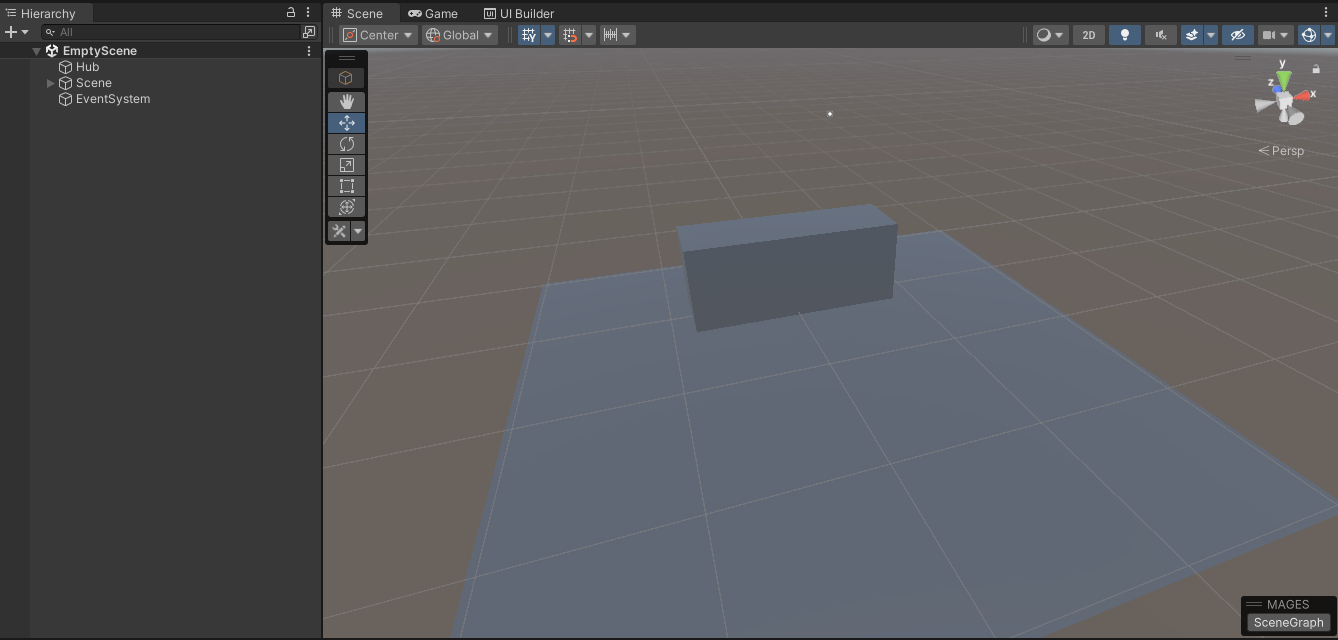
Open the scene where you want to add spawn points.
Step 2: Add Spawn Point GameObjects
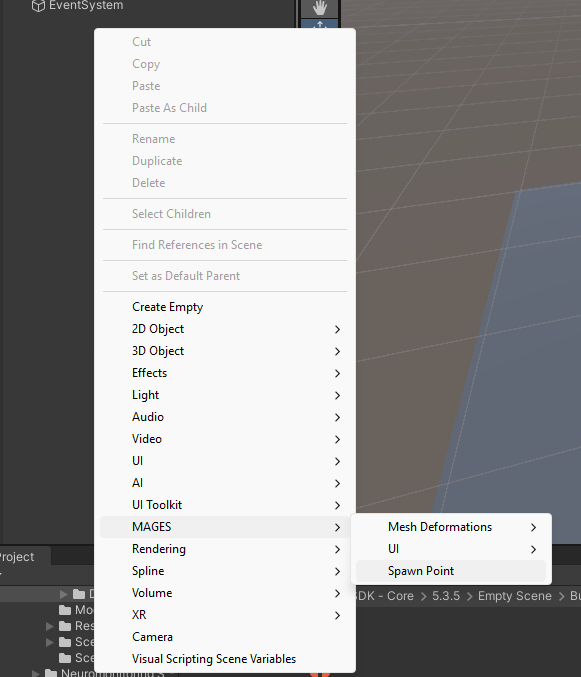
Right click in the scene hierarchy and select MAGES > Spawn Point to create a Gameobject with the SpawnPoint component.
Step 3: Configure Default and Secondary Points
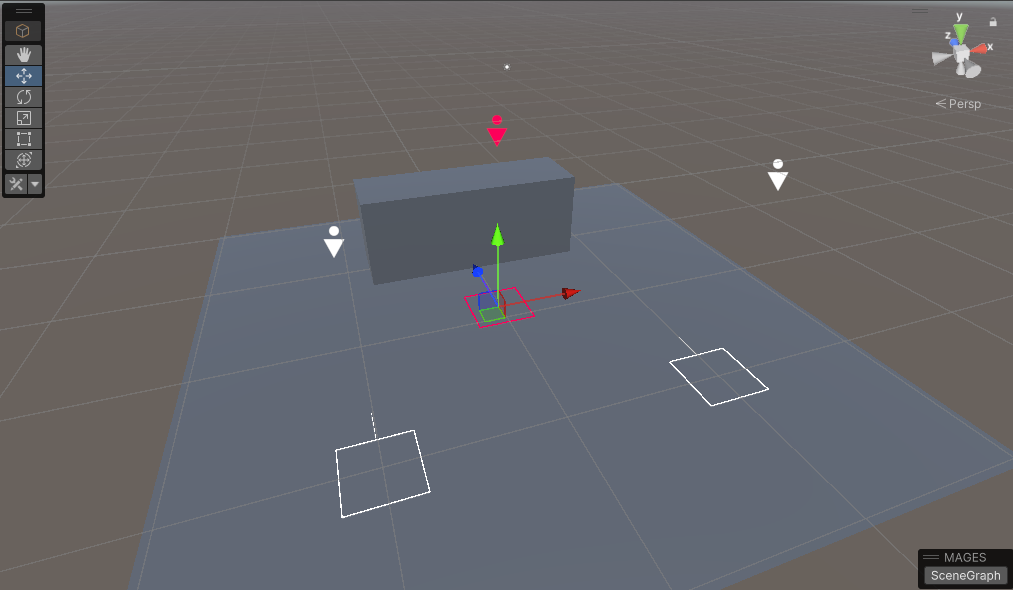
In the Inspector, check the Is Default box for the main spawn point. Leave it unchecked for secondary spawn points (used for co-op players).

Step 4: Position and Orient Spawn Points
Move and rotate each spawn point to the desired location and facing direction for player appearance.
Step 5: Multiplayer/Co-Op Spawn Points
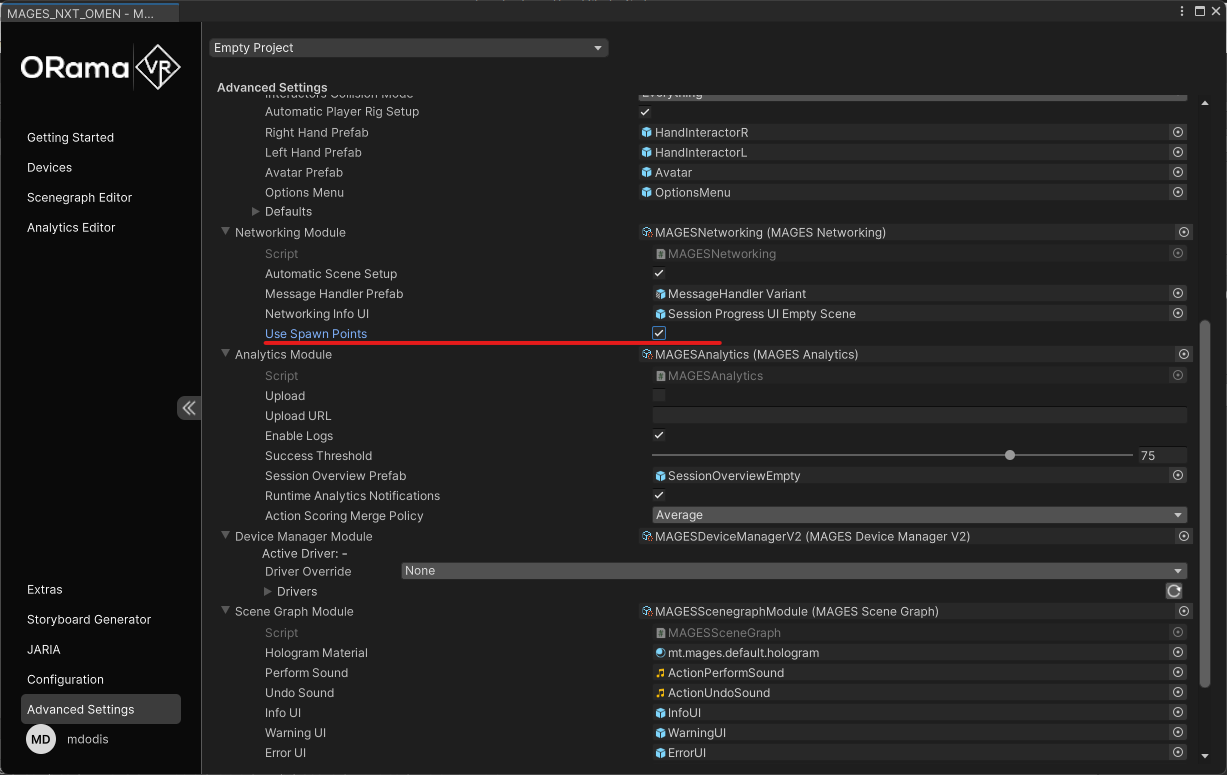
In the Creator Panel, inside the advanced settings of the bundle, under Networking, check Use Spawn Points to use the secondary spawn points as each session client connects
Summary
You have successfully set up spawn points for your multiplayer scene. Players will now spawn at the designated locations based on the configured default and secondary spawn points, enhancing the co-op experience. The main spawn point will be used for the local player/session host. If no secondary spawn points are set, the same spawn point will be used for clients connecting to the session.